
test
Home > MARIA B AH39 Luxury Organza 3-Piece Suit
-25%
Sold out

MARIA B AH39 Luxury Organza 3-Piece Suit
Rs.8,000.00 Rs.6,000.00 SAVE 25%
👁 79 People are viewing this right now
Disclaimer:
Actual product color may vary slightly from the image.
Shopping Security
- Safe Payment
- Customer Services
- Secure Logistics
- Privacy Protection
- Deliver by Tue, Sep 8 – Wed, Sep 9
- Delivery All Over Pakistan
Description:
Elegant Maria B. inspired organza ensemble featuring intricate detailing, paired with a graceful chiffon dupatta and luxurious silk trousers. A sophisticated choice for festive and formal wear.
Product Details:
- Shirt: Premium Organza
- Dupatta: Premium Chiffon
- Trouser: Luxury Silk
- Volume: Maria B.
- Article: AH-39
- Type: 3-Piece Unstitched Suit
Swap this tab’s content for your builder’s native “Product Reviews” widget so it pulls live WooCommerce reviews for each product automatically.
💬 Customer Reviews from WhatsApp
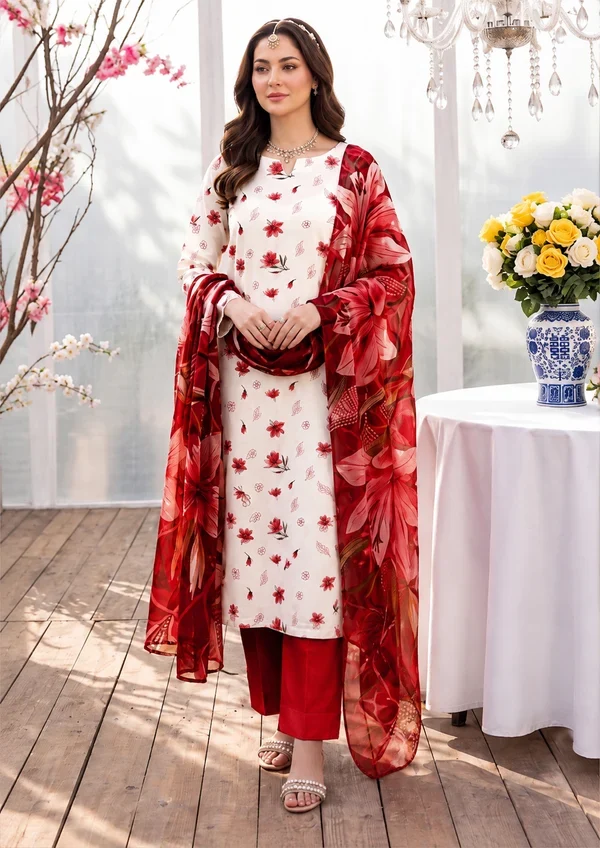

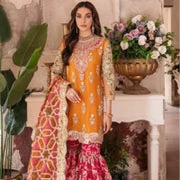


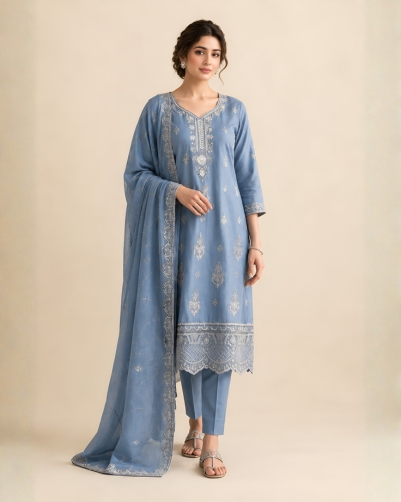

Home > MARIA B AH39 Luxury Organza 3-Piece Suit
-25%
Sold out
MARIA B AH39 Luxury Organza 3-Piece Suit
^ Replace REPLACE_WITH_PRODUCT_ID above with this product’s real WooCommerce ID (find it in Products → hover the product → the ID shows in the row/URL, or via Quick Edit). This is what makes the price, sale badge, and Add to Cart button pull real, live data — delete this red note once it’s wired up.
👁 79 People are viewing this right now
This “people viewing” counter is a marketing/FOMO effect on the live site — it’s not a real WooCommerce number. If ShopBuilder Pro’s Sales Notification module is active, swap this line for that widget; otherwise it stays as static text.
This button is a static placeholder. To actually collect emails and notify people when stock returns, connect it to your back-in-stock/waitlist module (ShopBuilder Pro has one) — I can’t fabricate that capture logic without knowing which plugin handles it on your build.
Disclaimer:
Actual product color may vary slightly from the image.
Shopping Security
- Safe Payment
- Customer Services
- Secure Logistics
- Privacy Protection
- Deliver by Tue, Sep 8 – Wed, Sep 9
- Delivery All Over Pakistan
The “Deliver by” dates are static text here. On the live site they’re computed from today’s date by a delivery-estimate app — edit the wording per product, or tell me your rule (e.g. “+3 to +4 business days from order date”) and I can turn this into a small script that calculates it automatically.
Description:
Elegant Maria B. inspired organza ensemble featuring intricate detailing, paired with a graceful chiffon dupatta and luxurious silk trousers. A sophisticated choice for festive and formal wear.
Product Details:
- Shirt: Premium Organza
- Dupatta: Premium Chiffon
- Trouser: Luxury Silk
- Volume: Maria B.
- Article: AH-39
- Type: 3-Piece Unstitched Suit
The Reviews tab uses the shortcode [woocommerce_product_reviews] — WooCommerce doesn’t render this correctly inside Elementor’s Tabs widget by default since it expects the global $product to be set. If reviews don’t show, use ShopBuilder’s own “Product Reviews” or “Product Tabs” widget for this tab instead — it’s built to run inside the actual product context.
💬 Customer Reviews from WhatsApp
These 6 images are hotlinked from the live Shopify CDN so you can see the real result immediately. For the production site, download them and re-upload to your own WordPress Media Library, then repoint this carousel — don’t leave a live site permanently loading images from someone else’s CDN.